

Date Reported:
July 25, 2026
Status:
Workaround Available
Notes:
⚠️ Please Check Before Reading:
This issue ONLY applies to grandfathered free accounts that meet one of the following requirements:
- TikTok-grandfathered: Linked TikTok before August 1, 2025
- Facebook-grandfathered: Linked Facebook in or before July 2020
If you linked these accounts after these dates or created a new free account recently, this is not a bug. You are required to have Streamlabs Ultra to multistream.
We are working to fix a bug in the new Go Live window that stops eligible TikTok-grandfathered and Facebook-grandfathered accounts from streaming to a second destination at the same time without an Ultra prompt.
Temporary Workaround
While our engineers work on a permanent fix, downloading and running our **Preview Build** resolves this issue:
- Download the Streamlabs Desktop Preview Version (1.20.3-preview.1). This will create a new shortcut called Streamlabs Desktop (Preview)
- Open the Streamlabs Desktop (Preview) application and attempt to go live through the Go Live window as normal.
Still having trouble?
If the preview build does not resolve the issue for your grandfathered account, please submit a support ticket here and make sure these specific fields are filled out:
- What product do you need help with?: Streamlabs Desktop
- Subject: TikTok/Facebook-Grandfathered Accounts Unable to Stream to Second Destination
- Description: Let us know if you attempted the preview build and what error message you receive.
-
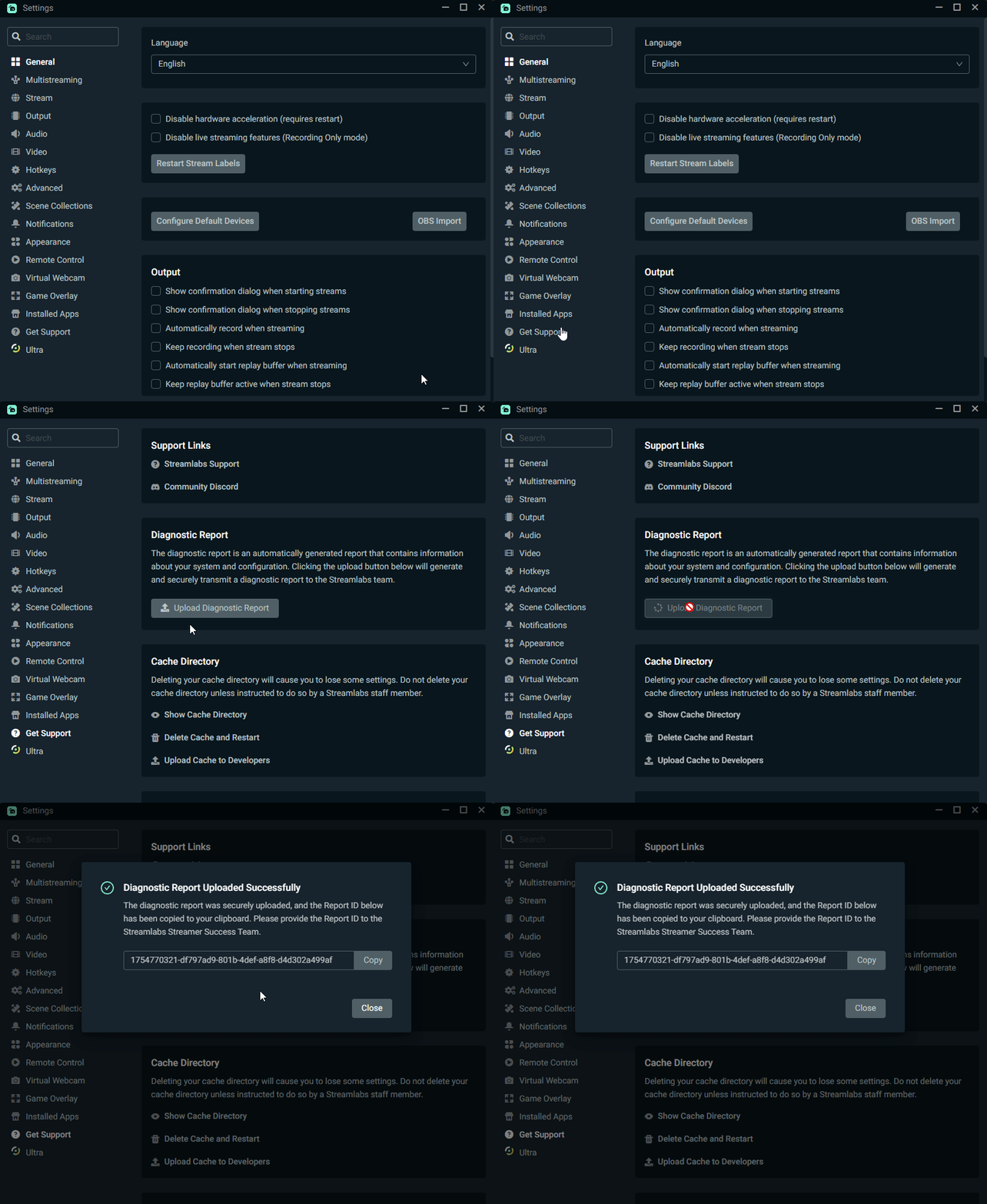
Diagnostic Report Code: Steps on how to find this code:
- In Streamlabs Desktop, go to Settings ⚙️
- Click Get Support
- Press Upload Diagnostic Report
- Your Diagnostic code will automatically be copied to your clipboard. However, you can copy it manually using the Copy button if you accidentally copied something else.
0 Comments