

Have you heard? We’ve moved the navigation menu in Streamlabs Desktop to the top of the window, making it easier to access the tools you use most while streaming.
You can also customize what appears in the top navigation and pin your favorite apps for quicker access.
Customize Your Top Navigation
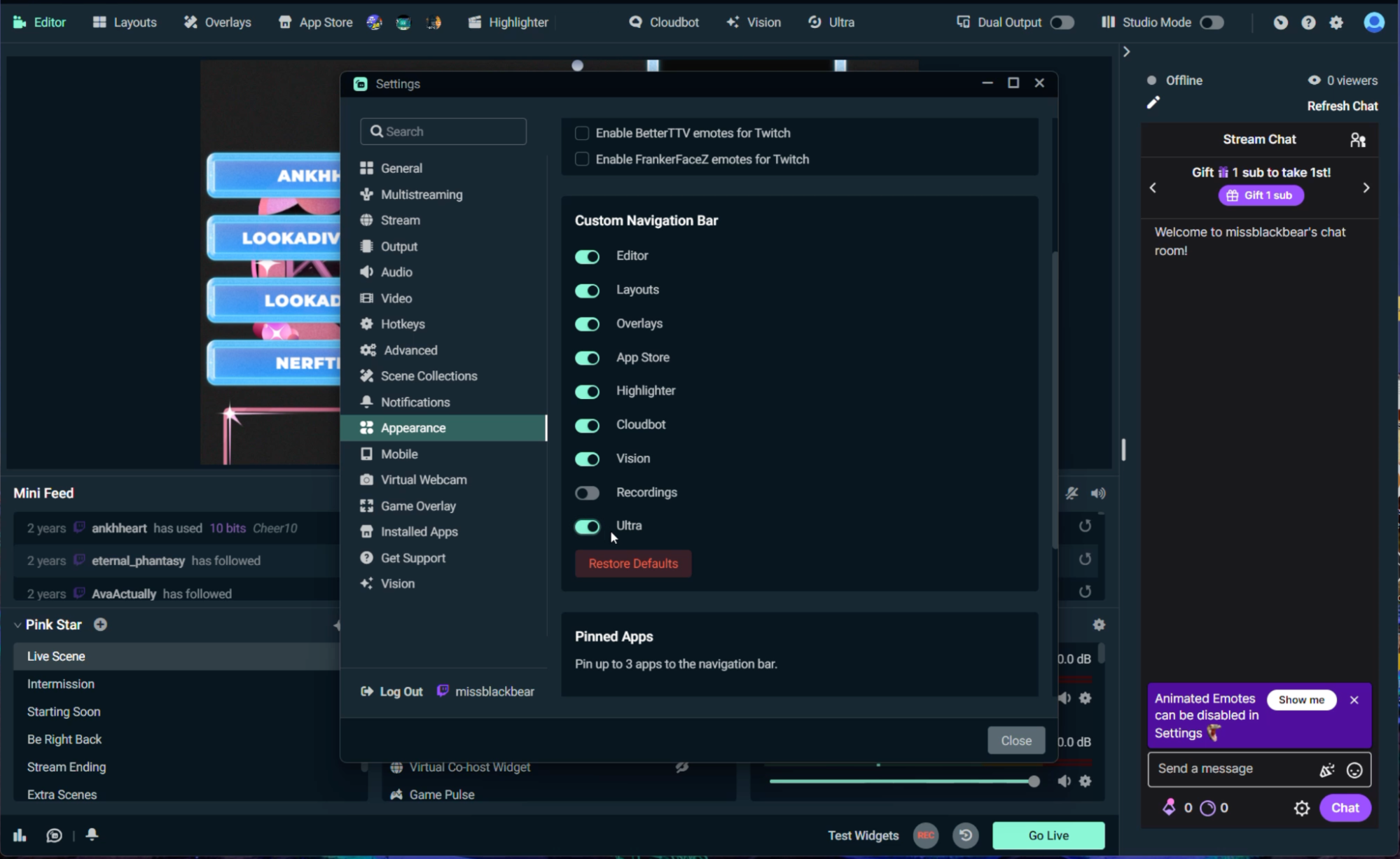
Go to Settings > Appearance > Custom Navigation Bar to choose which items appear in your menu by toggling selections off or on.
Pin Your Favorite Apps
You can pin up to 3 installed apps directly to the top navigation bar for quicker access.
Manage your pinned apps from Settings > Appearance > Pinned Apps. You can also turn pinned apps off entirely if you prefer a simpler menu.
Quickly Access Settings, Help, and Dashboard
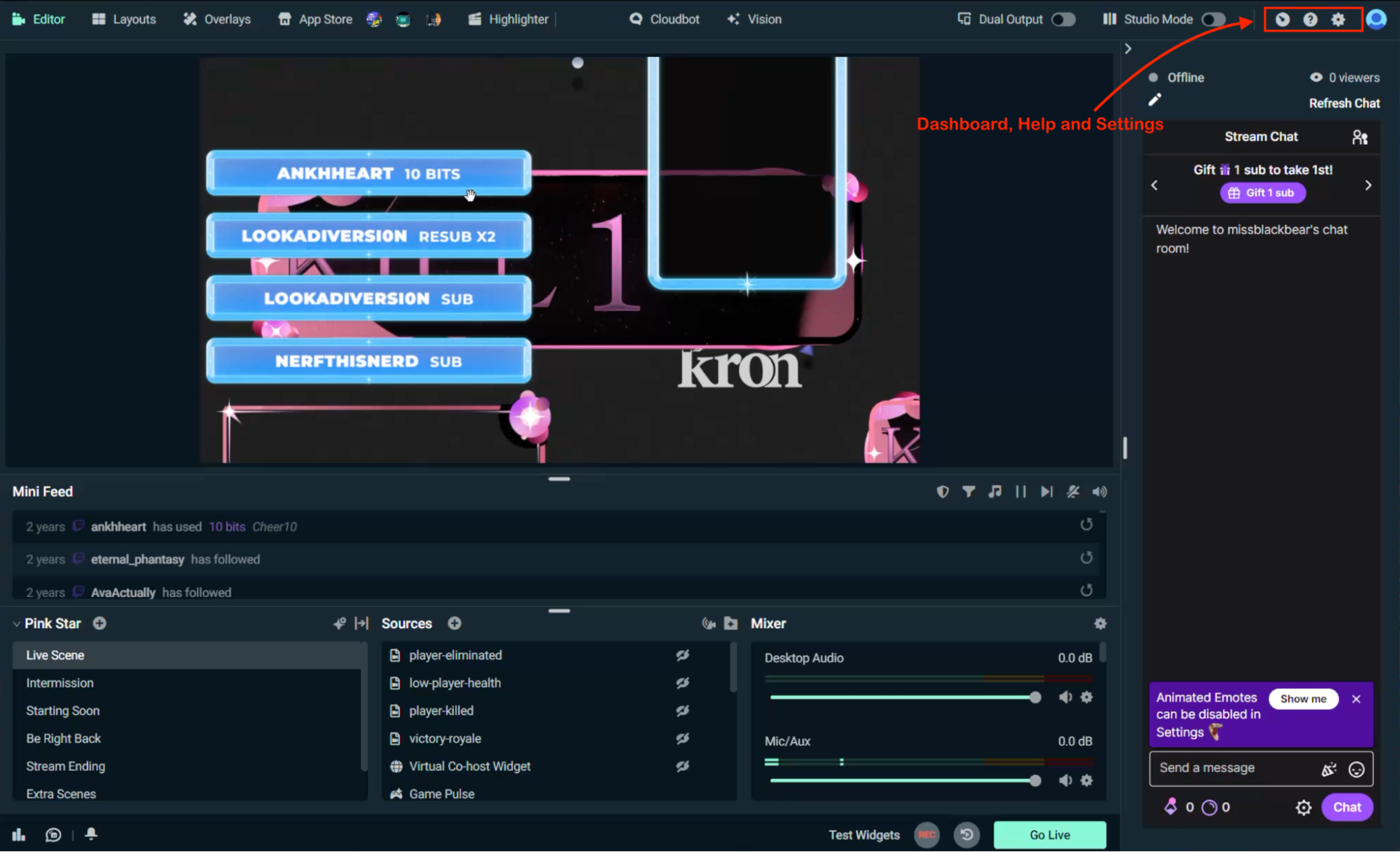
Dashboard (web), Help and Settings are now located directly in the top navigation bar. Hover over an icon to see its name and quickly get the help you need with your stream.
The updated menu makes it easier to access the tools youuse most while giving you more control over your Streamlabs Desktop setup.
Happy Streaming!
If you have any questions or comments, please let us know by contacting us or joining our Discord server.
0 Comments